Every time a happy customer walks away from your team member, there's a story worth telling. The problem? Most of it gets lost.
If reviews do get left, they sit on Google and stay there — useful for search, mostly invisible for social. And the employee who earned that five-star praise? They never even see it, let alone share it.
That changes today.
Introducing NodCards Reviews
The new Reviews feature turns every customer interaction into a two-part win: a boost to your Google Business profile, and a branded, ready-to-share social media asset — automatically.
Here's how it works.
A customer taps a team member's NodCards digital business card. With one click, they can leave a star rating and a written review. That customer can choose to share their review directly your company's Google Business listing — just copy, paste and share.
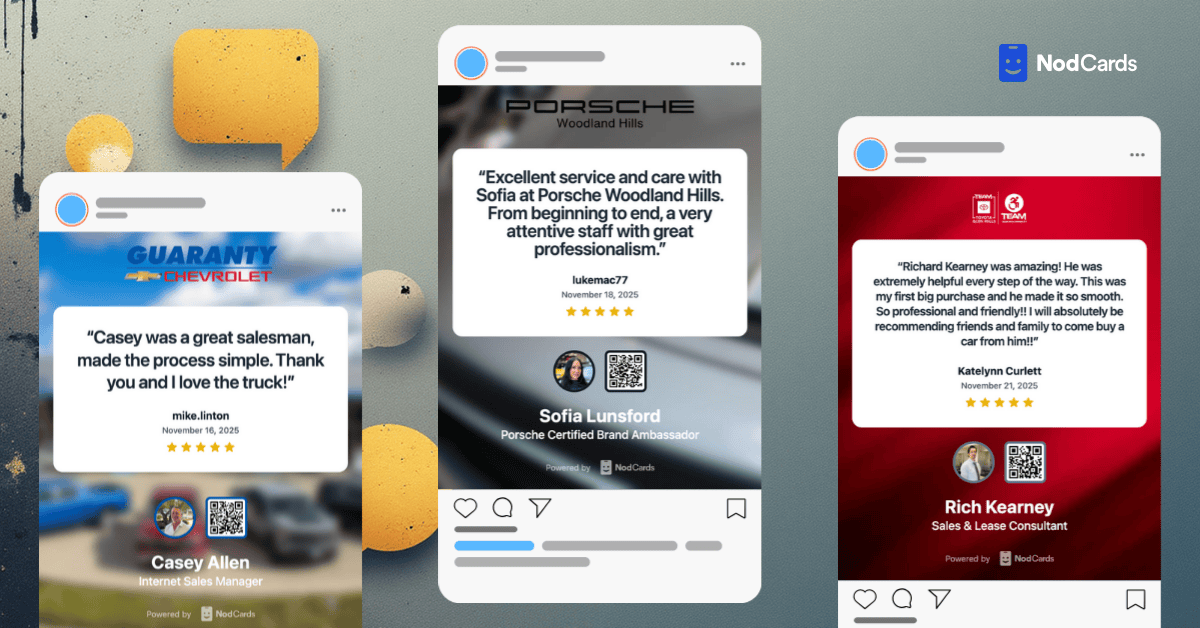
But here's what makes NodCards Reviews different: that same review is instantly transformed into a customizable image, branded with your company logo, the employee's name, title, and QR code. It's emailed directly to the employee and their manager, ready to download and share.
Why Reviews Matter for Your Brand
Reviews are critical to brand trust — but not every potential customer is searching Google for your business.
According to recent data, 29.7% of consumers discover new brands through social media. That means your review strategy can't stop at search.
When your team earns praise, that praise should work everywhere. On Instagram. On LinkedIn. In your marketing campaigns.
NodCards Reviews closes the gap between what your customers say about you and how widely those words travel.
What's Included
- One-click review capture — every team member gets their own review prompt on their digital business card
- Google Business syndication — reviews flow to your listing effortlessly
- Auto-generated social media images — branded with your logo, employee name, title, and QR code
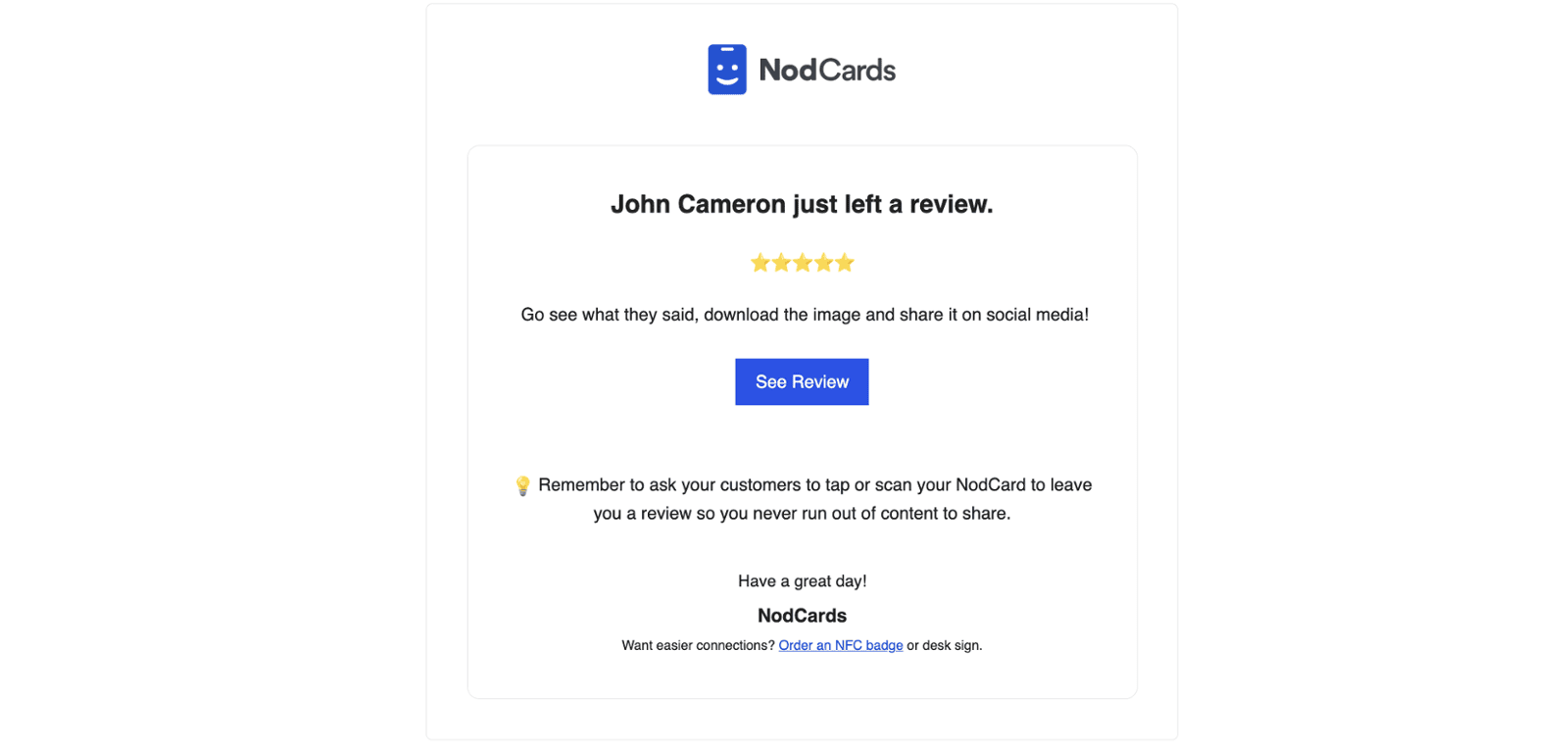
- Email notifications — employees and managers are alerted the moment a new review comes in, along with a direct link to download and share the asset
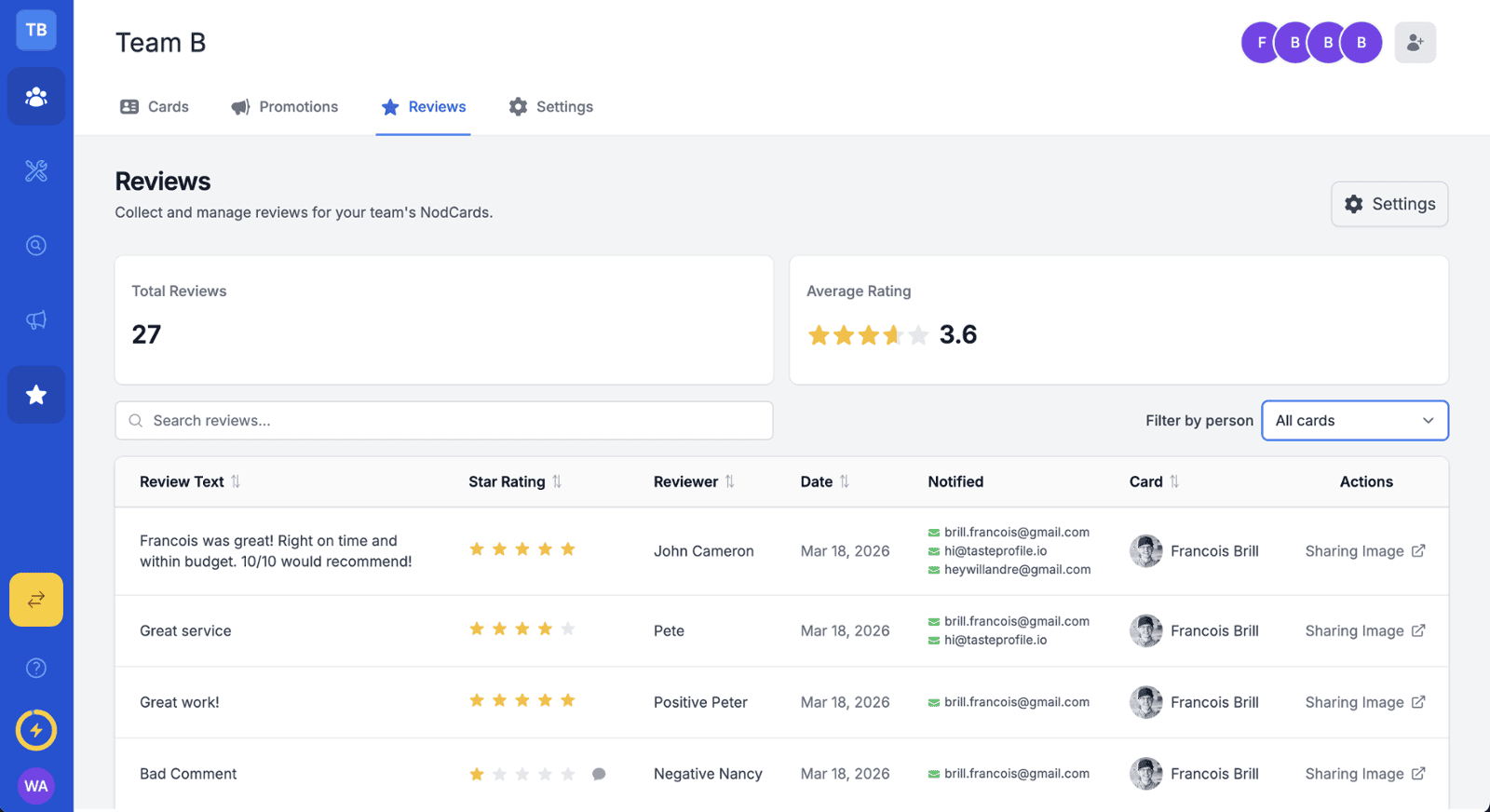
- Analytics dashboard — track review counts, averages, and distribution across your team from the admin panel
How to Share Google Reviews on Social Media With NodCards
Here's exactly how the process works once you've activated the feature:
- Enable Reviews in your admin dashboard. Navigate to the Reviews section, toggle it on, and add your Google Business listing ID.
- Configure your review capture button and notifications. Set the prompt text your customers will see, and choose which team members and managers receive email alerts.
- Your team starts collecting. Every employee's digital business card now has a live "leave a review" link. When a customer taps and leaves a review, they can be given the option to leave it on your Google Business profile as well
- The shareable image lands in your inbox. Within seconds, the employee and any designated managers receive an email with the branded review image — company logo, employee name, title, and QR code included. One click to download or customize and edit beforehand.
- Post it. Drop it on LinkedIn, Instagram, or wherever your audience lives. No design work, no coordination required.
That's the full loop — from customer tap to social-ready asset — without any manual steps in between.
Available on Every Plan
Reviews is included on all NodCards plans. Getting started takes minutes.
Turn Your Team's Best Moments Into Marketing Mastery
Your team shows up every day and builds real relationships with real customers. NodCards Reviews makes sure those relationships don't just live in a Google search result — they become a visible, shareable part of your brand story.
Log in or create a free account and activate Reviews today.